728x90
window.opener 완전 정리
문제 상황 및 원인 분석
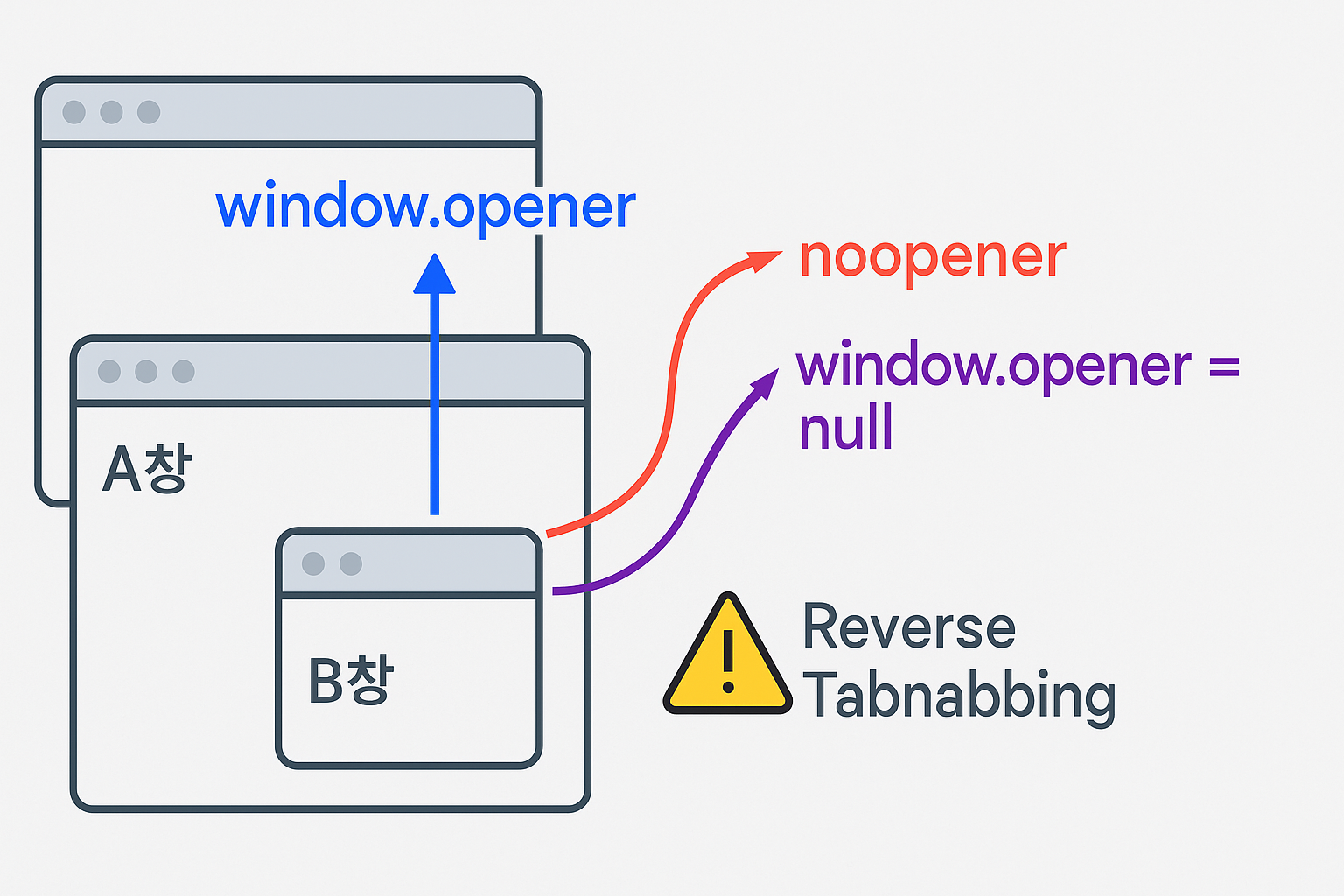
React에서 새 창을 띄워 초기 상태를 전달하려고 window.open을 사용했는데, noopener/noreferrer 옵션 때문에 window.opener가 null로 나와 원하는 데이터를 전달할 수 없는 문제가 발생했습니다. 반대로 옵션을 빼면 보안 문제가 생기기 때문에 딜레마가 생겼습니다.
이전 코드
// 부모 → 새 창 열기
const newWindow = window.open(url, "_blank", "noopener,noreferrer");

// 자식 → opener 통해 부모 참조
console.log(window.opener); // null → 데이터 전달 불가
개선 후 코드
// 부모창: opener 유지 (noopener 제거)
const newWindow = window.open(url, "_blank", "width=500,height=500");

function onMsg(e) {
  if (e.origin !== location.origin) return;
  if (e.data?.type !== "READY") return;
  newWindow?.postMessage({ type: "INIT", isConnected }, location.origin);
  window.removeEventListener("message", onMsg);
}
window.addEventListener("message", onMsg);

// 자식창: 초기 데이터 수신 후 opener 끊기
useEffect(() => {
  window.opener?.postMessage({ type: "READY" }, window.location.origin);

  const onMsg = (e) => {
    if (e.origin !== window.location.origin) return;
    if (e.data?.type === "INIT") {
      setConnected(e.data.isConnected);
      (window).opener = null; // 보안 위해 즉시 단절
    }
  };
  window.addEventListener("message", onMsg);
  return () => window.removeEventListener("message", onMsg);
}, []);
정리 및 교훈
window.opener는 새 창(B)에서 원본 창(A)을 참조할 수 있는 객체noopener/noreferrer를 쓰면 자동으로opener=null이 되어 보안은 강해지지만, 부모 데이터 전달은 불가능- 초기값만 한 번 전달한다면, opener를 잠깐 열고
postMessage후 자식에서opener=null처리로 보안 강화 - 지속 동기화가 필요하다면 opener가 아니라 BroadcastChannel이나 SharedWorker를 사용해야 안전
728x90
'React > React 실습' 카테고리의 다른 글
| Blur 시 Enter 키 이벤트 디스패치: MUI Autocomplete vs TextField — 실전 패턴 & 예제 (0) | 2025.11.07 |
|---|---|
| [React] ResizeObserver로 이미지 주석 입력창의 위치 오류 해결하기 (0) | 2025.06.10 |
| [React] 이벤트 기반 아키텍처 vs HTTP 서비스 아키텍처 (0) | 2025.04.18 |
| System.Text.Json을 활용한 네이버 로그인 응답 처리 개선 (1) | 2025.04.10 |
| [SSO] 네이버 소셜 로그인 연동 및 보안 고려사항, (팝업 기반 소셜 로그인 처리 방식) (0) | 2025.04.10 |


댓글